From Desktop to Browser: How zMigEmulator Makes Emulator Migration Effortless
For decades, mainframe access has meant one thing on every new employee’s laptop: install a terminal emulator from various vendors – the names change, but the ritual doesn’t. IT provisions a license, pushes an installer, configures dozens of session files by hand, and hopes nothing breaks with the next OS update. Multiply that across hundreds or thousands of users, and “simple mainframe access” becomes a standing line item in every IT budget.
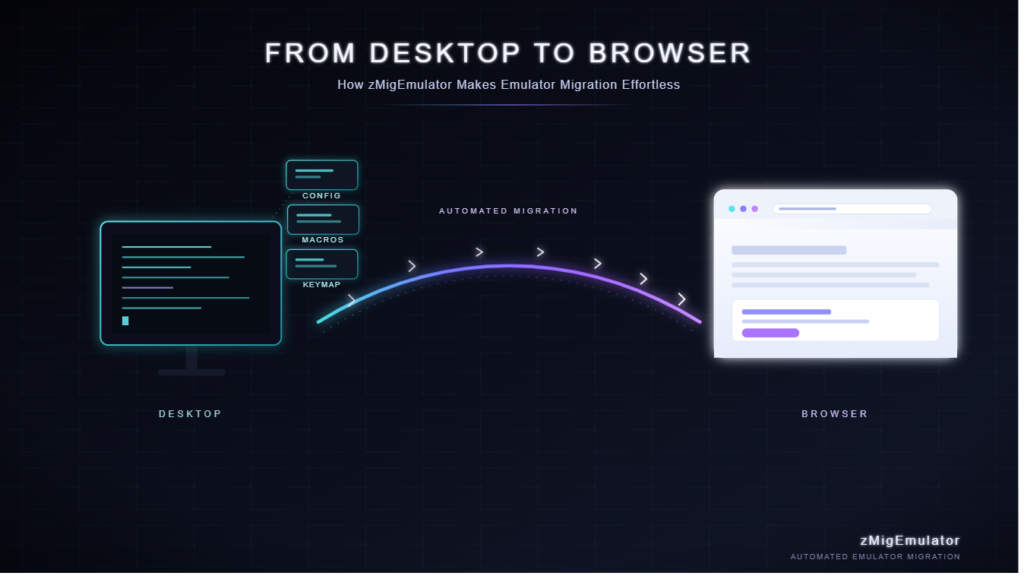
zMigEmulator exists to end that ritual. It’s an automated migration solution that takes your existing desktop emulator sessions, configurations, and connection profiles and moves them — intact — into a modern, browser-based emulator. No manual re-entry. No re-training. No more installers.
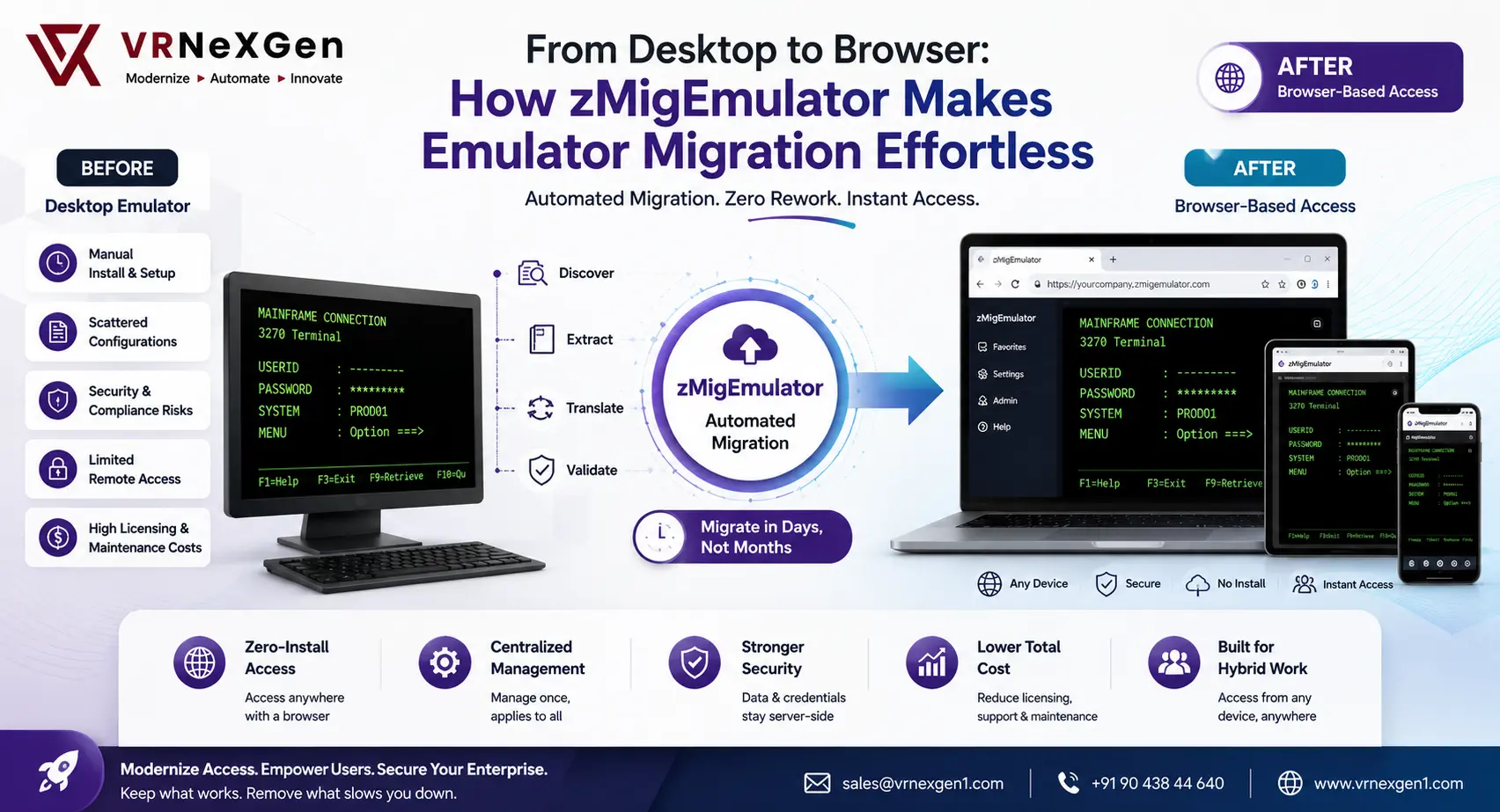
The Problem With Desktop Emulators
Desktop terminal emulators were built for a different era of computing, and they show their age in ways that go beyond the interface.
Installation overhead. Every new hire, every new machine, every OS refresh triggers the same manual install-and-configure cycle. Multiply a 20-minute setup by a large workforce and IT teams lose real time to a task that adds no business value.
Fragile configurations. Session files, macros, keyboard mappings, and connection settings accumulate over years of use. When they live on individual desktops, they’re one hard drive failure or laptop refresh away from being lost — along with the tribal knowledge of how to rebuild them.
Security and compliance gaps. Locally installed software means locally stored credentials, locally cached data, and a patch cycle that depends on every end user actually updating their machine. Security teams are left auditing a fleet of endpoints instead of a single, centrally managed access point.
No remote flexibility. Desktop emulators tie mainframe access to a specific, licensed machine. Hybrid and remote work exposed this limitation quickly — accessing legacy systems from a new laptop, a contractor’s device, or a tablet often meant a support ticket and a wait.
Rising licensing and maintenance costs. Per-seat licensing for legacy emulator software adds up, and vendor support for older versions gets thinner every year.
None of this is a reason to abandon the mainframe — the mainframe isn’t going anywhere, and for good reason. It’s a reason to change how people reach it.
What zMigEmulator Actually Does
zMigEmulator is purpose-built to solve the hardest part of moving to browser-based access: migration, not just replacement.
Swapping in a new emulator is easy to describe and hard to execute, because the real cost isn’t the software — it’s everything configured inside it. zMigEmulator automates that transition end to end:
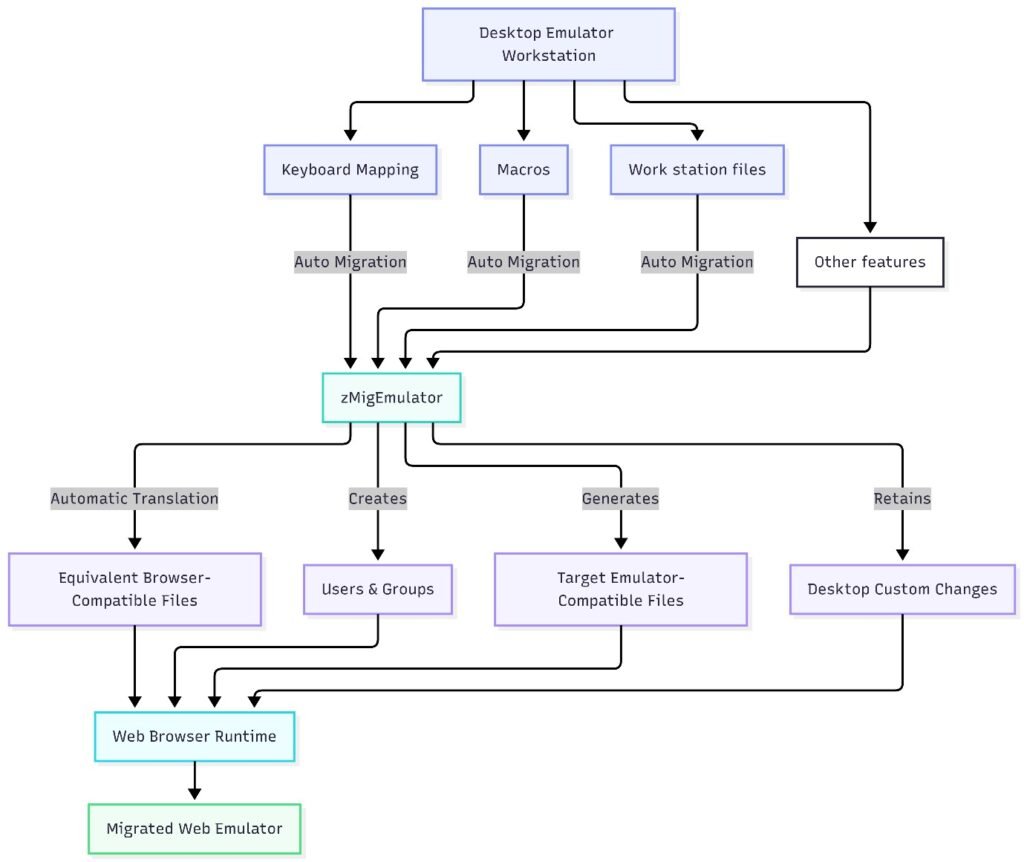
Automated session discovery and extraction. The tool scans existing desktop emulator installations and identifies session profiles, host connection details, and user-specific configurations across the environment.
Configuration translation. Session files, macros, key mappings, and display settings are automatically converted into formats compatible with the target web-based emulator — preserving the setup users already rely on instead of forcing them to rebuild it.
Bulk migration at scale. Rather than migrating users one desktop at a time, zMigEmulator handles batch migration across teams and departments, turning a months-long rollout into a matter of days.
Validation and verification. Migrated sessions are checked against source configurations to confirm connection parameters, credentials handling, and display behavior match what users had before — so nothing breaks silently on day one.
The result: users open a browser tab and their mainframe sessions are simply there, configured the way they left them, with nothing to install.
Why Browser-Based Access Matters
Once the migration is done, the benefits compound:
Zero-install access. Any device with a browser becomes a mainframe terminal. New hires are productive on day one; remote and contract staff need nothing more than a URL and credentials.
Centralized management. IT manages one web application instead of a fleet of desktop installations. Updates, patches, and configuration changes happen once, centrally, and apply to everyone instantly.
Stronger security posture. Credentials and session data stay server-side rather than scattered across local machines, shrinking the attack surface and simplifying compliance audits.
Lower total cost of ownership. Fewer support tickets, no per-machine installs, and simplified licensing translate directly into IT budget relief.
Built for hybrid work. Mainframe access stops being tied to a specific laptop. It travels with the user, not the device.
Who This Is For
Organizations still running legacy 3270/5250 terminal emulators are the clearest fit — particularly IT teams managing large user bases across banking, insurance, government, healthcare, and manufacturing, where mainframe systems remain the backbone of daily operations. If your team has ever delayed an emulator upgrade because the migration looked too painful, zMigEmulator was built for exactly that moment.
Modernization Without Disruption
The mainframe isn’t the legacy piece here — the desktop install is. zMigEmulator lets organizations keep the systems and workflows that already work while removing the friction of how people connect to them. It’s not a rip-and-replace project measured in quarters; it’s an automated migration measured in days, with the configurations your teams already depend on carried over intact.
Ready to retire your desktop emulator installs? Talk to us about an automated migration to browser-based access — without losing a single session configuration.
Get in touch: sales@vrnexgen1.com | +91 90 438 44 640