
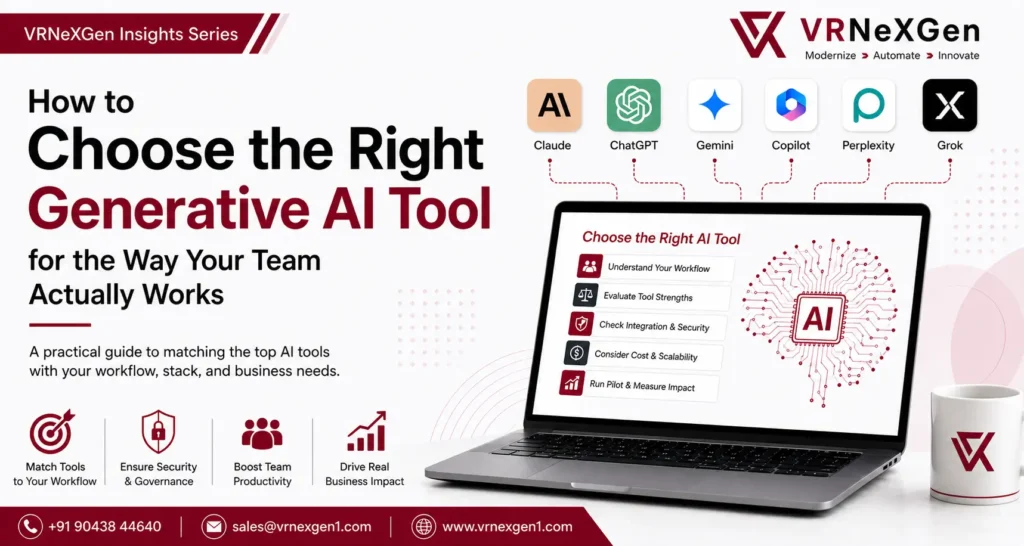
How to choose the right generative AI tool for the way your team actually works
Welcome to the latest post in the VRNeXGen No-Code/Low-Code Insights Series. I’m Fathima, and I’m glad to share these thoughts with you.
If you work anywhere near tech right now, you know the feeling: another morning, another AI headline, another “game-changing” release. It’s exhausting to keep up with, and honestly, most teams don’t even try. They just buy licenses for whichever tool is dominating the news cycle that week, hand them out, and hope productivity magically follows.
Choosing the right generative AI tool isn’t about following the latest trend—it’s about selecting a solution that aligns with your team’s workflows, collaboration needs, security requirements, and long-term business goals.
It rarely does. Here’s the uncomfortable truth nobody wants to say out loud in a vendor pitch meeting: there is no single “best” AI tool. Expecting one platform to handle everything from legal contract review to quick email drafts to deep quantitative analysis is a bit like handing an entire construction crew one hammer and telling them to lay pipe, frame walls, and rewire the electrical panel with it. It can technically be forced to work. It won’t work well.
Which tool actually earns its seat depends on your existing software stack, the nature of the work itself, your data-governance requirements, and, of course, budget. So instead of chasing whichever chatbot has the loudest marketing team, let’s walk through how six of the leading tools actually fit into day-to-day work.
The big six, side by side
Before getting into how each tool fits into a workflow, it’s worth seeing them laid out next to each other. Here’s a snapshot of how Claude, ChatGPT, Gemini, Microsoft Copilot, Perplexity, and Grok compare.
Maker | Standout strength | Best fit for | |
Claude | Anthropic | Reasoning depth, long-document analysis, agentic coding, safety | Engineering, legal, research, heavy document review |
ChatGPT | OpenAI | Broadest all-purpose ecosystem, huge connector library | General adoption, brainstorming, everyday content and code |
Gemini | Native, friction-free integration into Google Workspace | Docs, Gmail, Sheets, and Slides heavy organizations | |
MS Copilot | Microsoft | Embedded in Office and Teams, grounded in Microsoft Graph | M365-centric enterprises, heavy Word/Excel/Teams users |
Perplexity | Perplexity AI | Real-time web search with cited, checkable sources | Research, competitive intel, consulting, journalism |
Grok | xAI | Real-time access to X/social data, low-latency trend tracking | Social listening, trend monitoring, market signal tracking |
How to Choose the Right Generative AI Tool
Procurement doesn’t need to be complicated if you map your department’s core work against two questions.
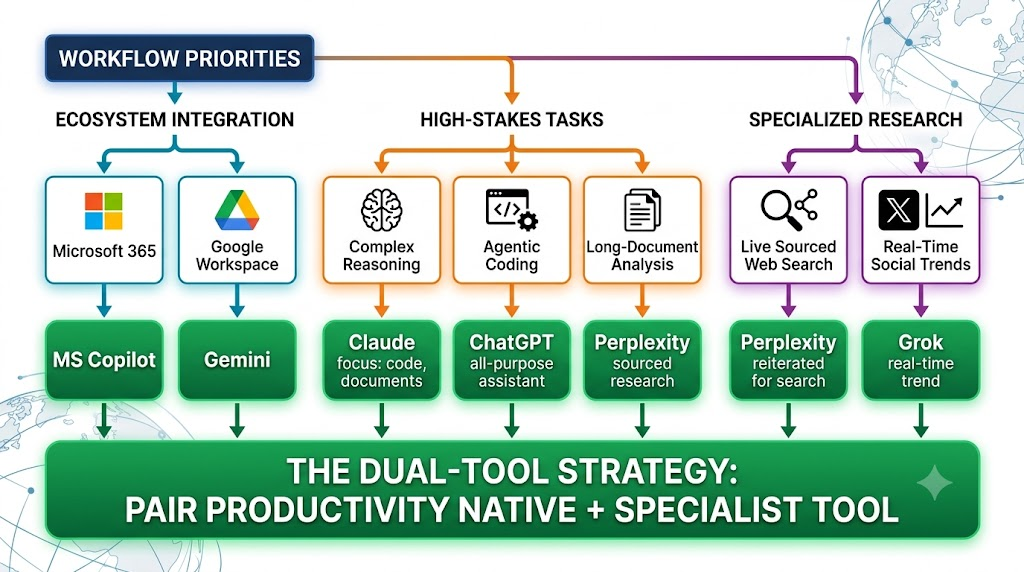
First: what’s your existing stack? If your organization runs on Microsoft 365, Copilot is the natural extension. If you’re on Google Workspace, Gemini fits the same role.
Second: do you have a specialized need? Heavy code or long-document work points toward Claude. Fact-checking and live research point toward Perplexity. Everything more general, or anything tied to social and cultural trends, points toward ChatGPT or Grok.
Most organizations that get real value out of AI end up pairing two tools rather than betting on one: a core productivity assistant (Copilot or Gemini) for everyday work, plus a specialist tool (Claude or Perplexity) for the high-stakes tasks that need deeper reasoning or verified sourcing.
Choosing the Right Generative AI Tool for Daily Work
When you’re evaluating AI for your workplace, “What can this tool do?” is the wrong question to start with. Nearly every major model today can draft a decent email, summarize a short document, or spit out passable code. The better question is: where does this tool actually cut down on friction in the work your team already does?
1. Deep ecosystem integration: Microsoft Copilot and Google Gemini
If your company runs on Microsoft 365, asking staff to leave Outlook, open a separate browser tab, copy some text, paste it into an external chat window, and then paste the result back into Word is a non-starter. It creates constant context-switching and opens the door to real data-leak risk.
Copilot earns its place by sitting right where the work already happens: inside Word, Excel, PowerPoint, and Teams. And because it draws on Microsoft Graph, it understands your organization’s internal files, communications, and calendar context natively, not as a bolt-on.
The same logic applies to Gemini for Google Workspace shops. It’s built directly into Gmail, Docs, Sheets, and Slides, so there’s essentially no learning curve. Employees never have to leave the tools they already live in.
2. Engineering, complex legal, and deep reasoning: Claude
Multi-page contract review, complex system architecture, and agentic software engineering are exactly where generic tools tend to hit a wall. Anthropic’s Claude has built a strong reputation with technical and legal teams for a reason: its reasoning depth, large context windows, and careful handling of sensitive or regulated data make it a strong fit for complex analysis and multi-step coding work.
3. Fact-checked research and competitive intel: Perplexity
Most large language models are prone to hallucination — they’re built to generate plausible text, not necessarily verified fact. That’s a real problem if you’re in market analysis, consulting, journalism, or competitive intelligence, where one wrong citation can sink an entire client deck. Perplexity is built differently: it functions as an AI-native search engine, returning live web findings alongside explicit, traceable sources.
4. The versatile workhorse: ChatGPT
For organizations that just want one broad-spectrum assistant everyone on staff can pick up for brainstorming, content drafting, and light coding, ChatGPT remains the most widely adopted option. Its plugin ecosystem and connector library are the largest in the market, which makes it a comfortable default for general workforce use.
5. Live social and cultural signal: Grok
Marketing teams, social media leads, and market researchers who need a real-time pulse on emerging news or cultural conversation have a genuine use case for xAI’s Grok. Its direct line into the live X data stream gives it an edge on low-latency insight into fast-moving public topics — the kind of thing static training data simply can’t keep up with.
What IT and procurement leaders should actually check
Rolling out AI at scale isn’t just about employee convenience. Before any contract gets signed, IT leaders should hold vendors to a few non-negotiable standards.
- Governance and security: SOC 2 compliance, HIPAA readiness where relevant, SSO/SCIM integration, and — critically — a contractually binding guarantee that your organization’s data is never used to train public models.
- Ecosystem fit: prioritize tools that require the least change to how people already work. The best AI tool is the one employees actually open on their own, without being reminded to.
- Total cost of ownership: look past the headline per-seat price. Factor in minimum seat commitments (ChatGPT Enterprise, for example, requires 150 seats), potential API usage overages, and the administrative overhead of managing another platform.
- Agentic capability: check whether the tool can actually take multi-step action — calling external APIs, working across complex databases — rather than just completing text.
The bottom line: plan for two tools, not one
The biggest thing for leadership to internalize is that a modern AI strategy is rarely an either/or decision. Most high-performing organizations don’t force one AI tool across the whole workforce, and they don’t need to.
The pattern that tends to work: pair a platform-native assistant (Copilot or Gemini) for seamless everyday productivity across your office suite with a specialist tool (Claude for engineering and legal work, or Perplexity for research) for the high-stakes tasks that need deeper reasoning or verified sources.
Don’t over-procure up front. Start by mapping your organization’s top three to five highest-frequency use cases against the framework above. Run a focused 30-day pilot with one or two candidate tools, measure actual staff adoption and time saved, and scale from there based on real ROI, not vendor marketing.
Conclusion
Ultimately, the ability to choose the right generative AI tool comes down to aligning technology with the way your teams already work. By selecting platforms that match your workflows, security requirements, and business objectives, you can maximise productivity, improve adoption, and achieve measurable long-term value from your AI investment.






KHH