
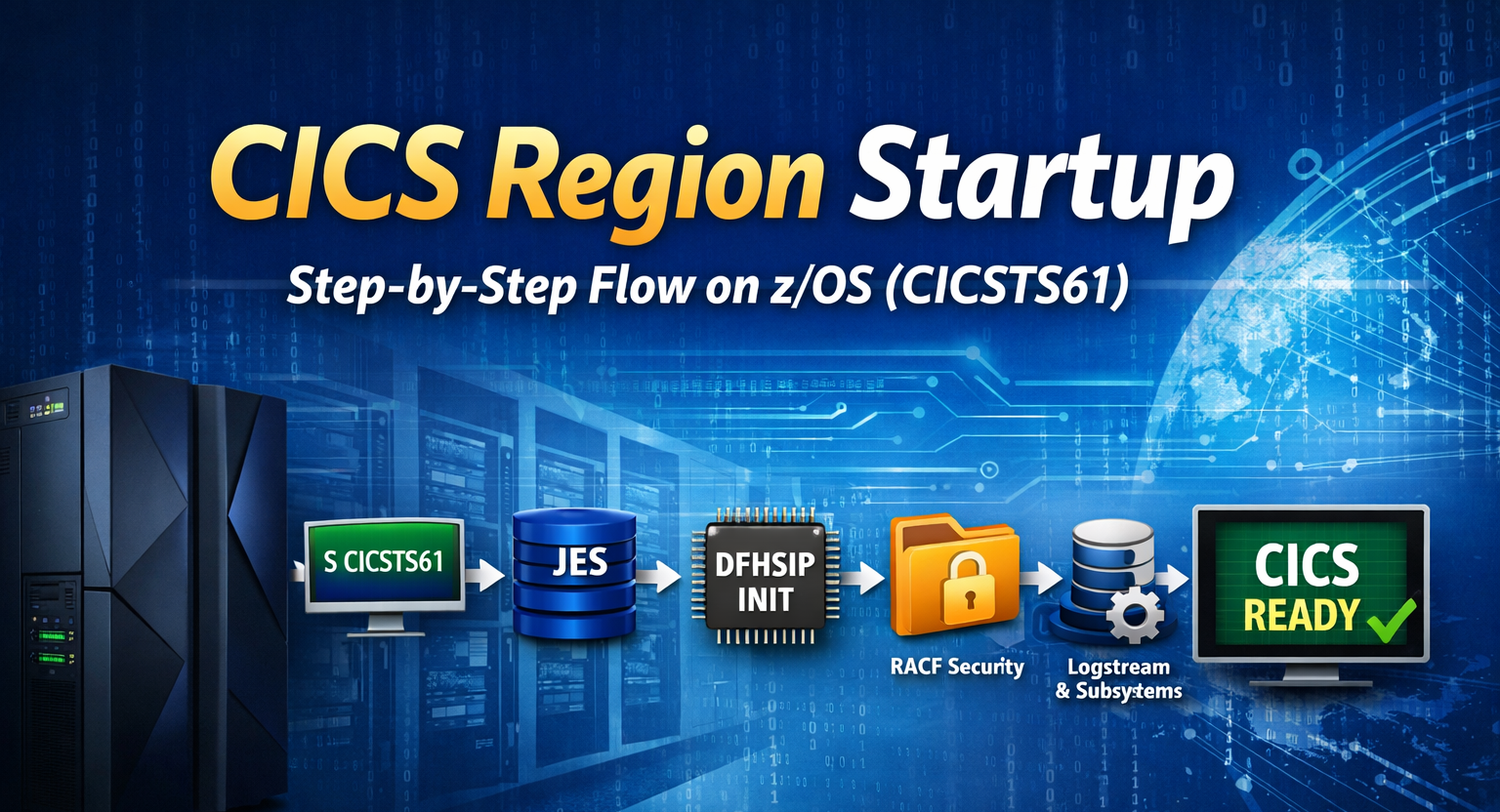
Introduction
This blog provides a clear, practical view of the CICS region startup process, helping IBM CICS Transaction Server system programmers and z/OS system programmers confidently understand how a region initializes and how to diagnose issues during startup.
The explanation is based on a real region running IBM CICS Transaction Server for z/OS 6.1 (CICSTS61). From the moment the operator issues the start command until the region becomes fully available for transactions, this guide walks through each stage in a structured manner.
This is ideal for professionals who want a practical understanding of:
- How the startup procedure flows
- What parameters are read during initialization
- Which CICS TS datasets are accessed
- How resources are built
- When logstreams are connected
- How subsystems are attached
- Where security validation occurs
High-Level CICS Startup Flow
The startup of a CICS region follows a structured sequence:
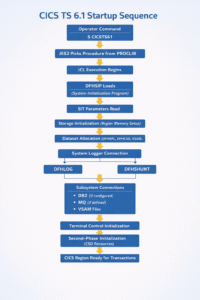
Failure at any stage stops initialization.
Detailed Technical Flow – Step by Step
1️⃣ Operator Issues Command
S CICSTS61
This command tells z/OS to start the CICS procedure from PROCLIB.
2️⃣ JES Processing
Handled by JES2:
- Procedure is read from PROCLIB
- DD statements are allocated
- Execution of the CICS program begins
If PROCLIB concatenation is incorrect, startup stops at this stage.
3️⃣ DFHSIP Initialization
DFHSIP is the System Initialization Program — the control center of CICS startup.
It:
- Reads the SIT (System Initialization Table)
- Determines region configuration
- Identifies required resources
If the SIT is misconfigured, initialization fails immediately.
4️⃣ Storage & Control Blocks Setup
CICS:
- Allocates CSA/ECSA
- Builds internal control tables
- Prepares task control structures
This stage prepares the internal engine before transactions can run.
5️⃣ Dataset Allocation Phase
Typical datasets accessed during startup:
- DFHRPL (Load libraries)
- DFHCSD (Resource definitions)
- Transient data queues
- Temporary storage files
- Other CICS TS startup datasets
Startup fails if a dataset is:
- Missing
- Locked
- Unauthorized
6️⃣ Security Validation
Security validation is performed through RACF.
Common failure example:
ICH408I INSUFFICIENT ACCESS AUTHORITY
If the CICS user ID does not have required READ or UPDATE access, initialization stops.
7️⃣ System Logger Connection
CICS connects to the z/OS System Logger (LOGR subsystem).
Key logstreams:
- DFHLOG
- DFHSHUNT
Managed by z/OS System Logger.
Startup fails if logstreams:
- Do not exist
- Are corrupted
- Are improperly defined
- This is a common real-world failure point.
8️⃣ Subsystem Attachments
Production regions often attach to:
- DB2
- MQ
- Web services components
- JVM server
If DB2 is down, CICS may partially initialize or fail depending on SIT parameters.
9️⃣ Terminal Control Initialization
Network layer activation includes:
- TCPIPSERVICE
- VTAM sessions
- IPCONN definitions
This is where communication capabilities are established.
🔟 Second Phase Initialization
CICS:
- Enables transactions
- Opens files
- Activates defined resources
At this stage, the region becomes active.
Successful Startup Checklist
A clean startup requires:
🎯 Visual Flow (Failure Points Highlighted)
S CICSTS61
│
▼
JES2
│
▼
DFHSIP
│
├── SIT Error ❌
├── Dataset Missing ❌
├── RACF Denied ❌
├── LOGSTREAM Missing ❌
├── DB2 Down ❌
│
▼
Successful Initialization ✅
│
▼
CICS Ready
Here is the sequence how the CICS Region starts up —
✔ JES procedure started successfully
✔ SIT parameters loaded correctly
✔ No ICH408I security violations
✔ All datasets accessible
✔ Logstreams defined and available
✔ DB2/MQ subsystems active (if used)
✔ Region memory sufficient
Practical Troubleshooting Checklist
When CICS fails during startup, check in this order:
- JES SYSLOG
- DFHSIP messages
- ICH408I security errors
- LOGR logstream status
- DB2 / MQ subsystem status
- Dataset DISP and catalog
- Region size configuration
Real Scenario – RACF & Logstream Startup Issue
During a recent CICS region startup, two major issues were encountered:
- RACF authorization failures
- Logstream connection failure
RACF Authorization Issue
CICS failed authorization checks for certain resources.
Resolution:
- Required permissions were granted using the RACF PERMIT command
- Access was provided for relevant logstream and logger resources
After granting proper permissions, RACF errors were resolved.
Logstream Connection Failure
After resolving RACF, the following errors appeared:
- DFHLG0772
- IXG231I CONNECT FAILED
This indicated failure to connect to System Logger logstreams.
Understanding Logstream Architecture
CICS uses two main logstreams:
- DFHLOG → Primary transaction log
- DFHSHUNT → Shunt log for failed units of work
Logstreams can be defined as:
Option A – CF-based (Coupling Facility)
CICS → Logger → CF Structure
Option B – DASD-based
CICS → Logger → DASD datasets
Root Cause
The logstreams were defined as CF-based, but the environment did not have an active Coupling Facility.
As a result:
IXG231I CONNECT FAILED
Fix Applied
The logstreams were redefined as:
DASDONLY
After redefining:
- DFHLOG connected successfully
- DFHSHUNT connected successfully
- CICS region initialized normally
- The corrective action involved:
- Deleting the existing CF-attached DFHLOG
- Recreating DFHLOG as DASD-based (DASDONLY)
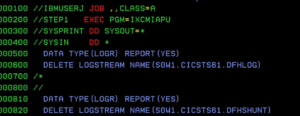
Delete the existing DFHLOG with CF attached
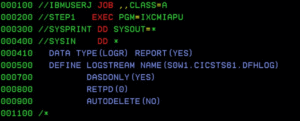
Create DFHLOG without CF, that is DASD based so DASDONLY
Conclusion
Understanding the CICS region startup sequence is critical for system programmers supporting CICS and z/OS environments. From JES processing and DFHSIP initialization to security validation and logstream connection, each phase has defined responsibilities and potential failure points.
A structured approach to startup troubleshooting — especially around RACF permissions and System Logger configuration — ensures faster resolution and more stable production regions.
For CICS and z/OS system programmers, mastering this startup flow is essential for maintaining reliable and resilient enterprise transaction processing environments.
Need assistance with CICS, z/OS system programming, or mainframe modernization? Contact our experts:
📧 info@vrnexgen1.com
📞 +91 90438 44640
Stay updated with practical guides on CICS, z/OS, and enterprise mainframe technologies — explore more at:
🌐 https://vrnexgen1.com/contact/
visit Linkedin Page for more details






A piece that built up gradually rather than front loading its main points, and a look at growthvertexhub maintained the same gradual structure, content that trusts the reader to reach conclusions through accumulating reasoning is more persuasive than content that announces conclusions and then defends them and this site uses the persuasive approach.
Once I trust a site this much I tend to read everything they publish and that is the trajectory I am on with this one, and a stop at growthvertexhub confirmed the trajectory, the rare progression from interested reader to comprehensive reader is something only certain sites earn and this one is earning that progression rapidly.